  1. Blog
  2. Article

Canonical
3 August 2017

Upgrading your Ubuntu-on-Windows install to the app version


Our team and Microsoft recently released Ubuntu as a Windows app store application! If you toyed with the “bash on Ubuntu on Windows” version before and would like to try the latest and greatest, read on!
Saving your data

If your “bash on ubuntu on windows” environment has some data you’d like to keep, make sure you back it up now. The uninstall process will nuke everything.

Uninstall the old way

This is relatively simple. Opening a command line (cmd.exe) terminal and typing

lxrun /uninstall

will destroy your previous environment.

Installing the new way

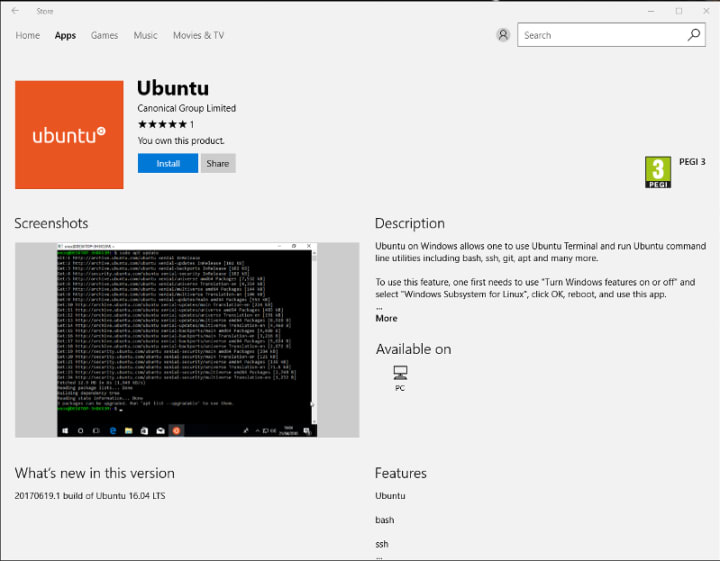
To find the app in the Microsoft store, just type “Ubuntu” in the search bar. Click install. Voilà!


Related posts

Bringing private, local inference to your desk with Lenovo, CIX Tech, and Canonical

As people increasingly use AI to summarize personal documents, draft emails, and generate code, one of the key problems that has emerged is data privacy. Relying on cloud-based...

Canonical joins the Open Compute Project (OCP) to advance open infrastructure

Canonical has joined OCP, a global community dedicated to developing open, efficient, and interoperable data center infrastructure. OCP unites cloud operators, hardware...

Ubuntu 26.04 LTS is now available on Amazon WorkSpaces

Ubuntu 26.04 LTS Resolute Raccoon is now available on Amazon WorkSpaces Personal. It is the first Ubuntu WorkSpaces release built on a Wayland-native desktop. It brings Linux...

The full Canonical Academy SysAdmin track is now live

Earn the SysAdmin qualification from the publishers of Ubuntu